Friday, May 15, 2015

jetson tk1 stack

Robot brainstem

Here is the 3D printed jetson tower that's going on the nasa robot. (I had to first build and enclosure for my lulzbot... working great for tall prints now.) We are running one tk1 as the master and one tk1 as a slave. The slave will have to stereo camera, imu and object detection camera (and possibly homemade lidar). The master will have the base detection cameras, motor controllers (and possibly a sun tracker). The 'possibly' depends on upcoming complications during integration over the next two weeks. 

Pictured here are 2 x 2.3GHz quad-cores + 2 x 10⁹ cuda cores...


So, I have been working in OnShape to create this. I was invited to be a beta user. It's the core guys from Solidworks that created this CAD system, and it's cloud-based. I have to admit it is a really awesome CAD interface - super intuitive and best part is: It runs in your browser using WebGL. So, it's totally platform independent and in the cloud. Only downside - you will need an internet connection to work on stuff (as most of the complex operations are done on their server)... So, I don't see this being the ideal system to use on a plane trip. But otherwise - it's a pretty amazing app (and idea). 


Friday, May 8, 2015

robots in the urban wild

Robot Sightings...

So, here's what we've been doing lately.


The best part about building robots is that you get to show them off occasionally. We've graduated from test platform video and simulation into something that looks promising. But like every robot... there's still a ton to do.

This robot has a stereo camera (that I built) for about $20... and a couple other instrumentations which will come to life in video over the next few weeks. I probably shouldn't spoil the surprise.

Sunday, March 22, 2015

dev: Jetson tk1, upgrade notes with VM


I have been bringing up a jetson tk1 to run a few ROS nodes. 


For these notes, I used a mac vmware ubuntu 14.04 box to upgrade the machine. But I have since moved to developing directly with Ubuntu as a dual boot on my mac. It's just faster and easier.

The first challenge is to get the tk1 environment upgraded. Mine shipped with v19 and that needed some work. After you upgrade, you're on the road to building kernel modules. Of course, after you build their source (from documentation notes), you shouldn't have any issues with dependency tags.

The next hurdle that will be encountered is getting opencv to play well with the gpu. After that, ROS will have it's own set of constraints... because it used opencv, and not opencv4tegra... have fun.

Feel free to use the documented tk1 setup... but note these instructions are tied to an nvidia release. See the nvidia documentation in each release for a more concise guide on building your own setup env.


Thursday, February 26, 2015

stereo-cam: odometry simulation

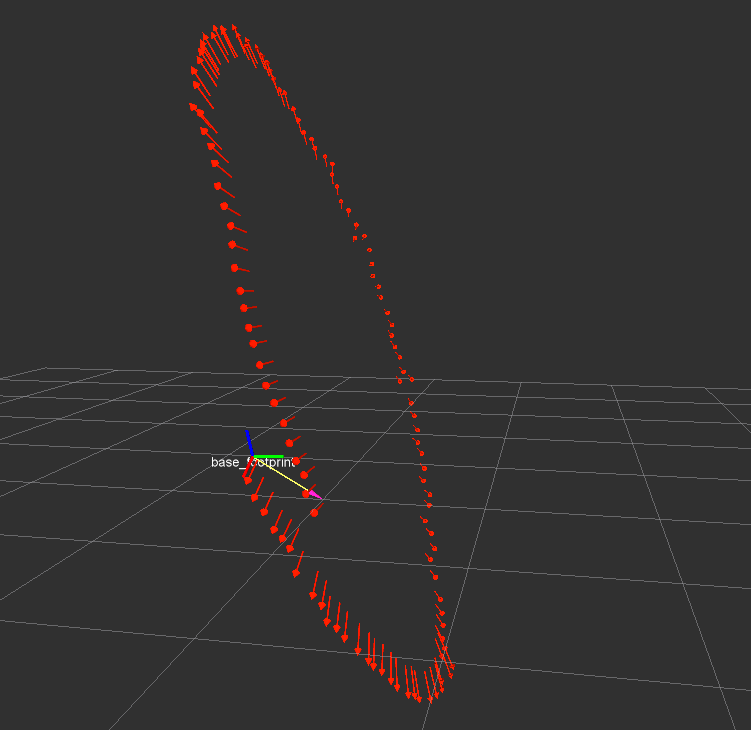
There were some delays in getting started on the visual odometry - but the data seems better than the first round of data collection. Obviously the optical rotation is totally wrong below.


After I rotated the transforms between base and camera, by roughly the correct estimates for the test platform, the second pass on the data looks much more promising. At least the nodes are upright and moving in the right directions.


The above is with no IMU data - that's obviously the next step. I have to say, not too bad for just a visual odometer from an 'okay' first pass calibrated camera that was build for under $20. It is about a 3m loop with lots of bumpy camera data in the mix. The camera bounced a little (as you can see) on mount to the test platform (which could use improvement).

EKF helps a little

Wednesday, February 11, 2015

stereo-cam: disparity test after calib.

stereo-cam: stereo disparity

Excellent. This is much better than that last dubious calibration param set. Whoa are all who wander in disparity.


stereo-cam: mounted on test platform

After a little fine-tuning of the aluminum brackets on the mount I was able to attach the stereo cameras to the test platform. It is now time to go gather some data at the local park and get the visual odometry working with the new stabilized mount. The calibration should be much more consistent with a rigid mount. The two camera's frame clocks are hardware linked via some soldering from 'vsync' to 'fsin'... not show in photo, as it is inside the case.


Sunday, February 8, 2015

stereo-cam: cad, 3D printed rigid mount design


The ps3 eye specs elude to resolution at up to 640x480 at 120fps. The mode of the driver seems to be bootable with about 10 or so configurations. So, it seems like a worthwhile experiment to build a ROS node out of it and see how it performs.

To properly calibrate and use the stereo camera configuration we're going to need a rigid case and camera assembly support. I chose to play with my 3D printer for this fun project. I modeled the case in a cad design program and printed the parts on a lulzbot taz4 in ABS. It looks like my tolerance is about 0.5mm for everything to fit snug.


It seems worthwhile to note that opening the ps3 eye is not challenging, but soldering the 1mm via on the board is going to need a really small tip, a lot of flux and patience. In the end, you will need cable strain relief for any sort of effective mounting strategy. I modeled a relief cup for the usb cable into the face plate of the camera mount. When the top is added it closes around the rubber relief guide very well.


Luckily, I did plan on leaving some space to mount the camera's angle adjustment. My strategy is to use the middle screw above to attach the adjustable base. Meanwhile, the aluminum frame should improve the rigidity from our last trial run. Moving cameras in the frame do not lend well to dense point clouds.


The four holes are the back are designed to be for longer machine screw which pressure fit the camera forward, on the mic backings just above the pcb inside the ps3 eye. The one wire solder from 'vsync' to 'fsin' for frame syncing the two camera clocks will be adequately protected with lots of strain relief by epoxying the wires to the pcb.

The for the angle adjustment, I'm going the sec route (simple-easy-cheap). I have an old mic stand lying around collecting dust, and it has two adjustment screws (one for the boom arm length and one for the boom arm angle). By attaching two aluminum L-brackets (such as used above on the outside of the case), it is possible to both mount the angle adjustment to the top plate of the robot and to the camera base. The base will take advantage of the length set screw (with a washer). The robot top plate will take advantage of the angle adjustment screw (with a washer) - while the 1/2 bottom of the neck can be used for additional lateral support when inset through the top plate on the robot (next to the where the L-bracket meets the top plate).